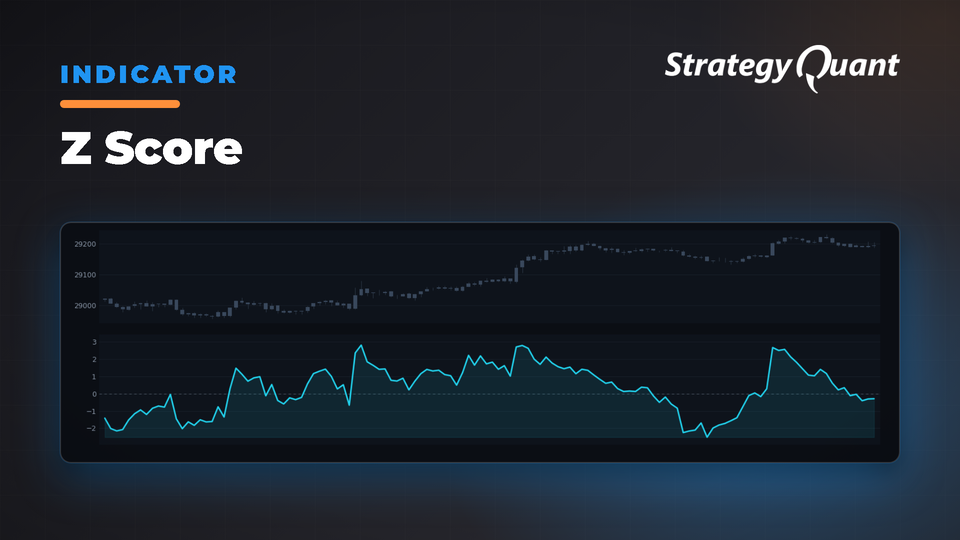
Measures how many standard deviations a value is from its mean, identifying statistical extremes in price movement. Configure the applied price and period to create trading signals based on deviation thresholds.
The Z-score measures the currently analyzed value of selected data series relative to its mean, i.e., how many standard deviations away it is from it. The Z-score can be easily interpreted in this way:
If the Z-Score is 0, it means that the value of the data point is equal to the mean. If the Z-Score is 1.0, it means that the value is one standard deviation above the mean. If the Z-Score is -1.0, it means that the value is one standard deviation below the mean.
The indicator has one line:
1. Z Score
Z Score has two configurable parameters:
• Applied Price – Type of Price used for indicator calculation
• Period – refers to the number of periods on which the modified moving average line is based.
Indicator is implemented for: MT4/MT5/Tradestation/ Multicharts.
You can download the indicator and conditions here.
How to import custom blocks:
1. Open the Algo Wizard in SQX
2. Select Customize
3. Select Custom Blocks
4. Import Custom Blocks
5. Save them
You can easily do your conditions in Custom blocks. More information you can find here:
You know me as clonex. I’m Ivan Hudec — I built the free blocks you’re using here, and I write about the research behind them at algotrading.space. Need something built? Work with me.
Free5 downloads
Files
Snippet-ZScore.sqm35 KBLocked
Download unlocks after purchase or with an active tier.