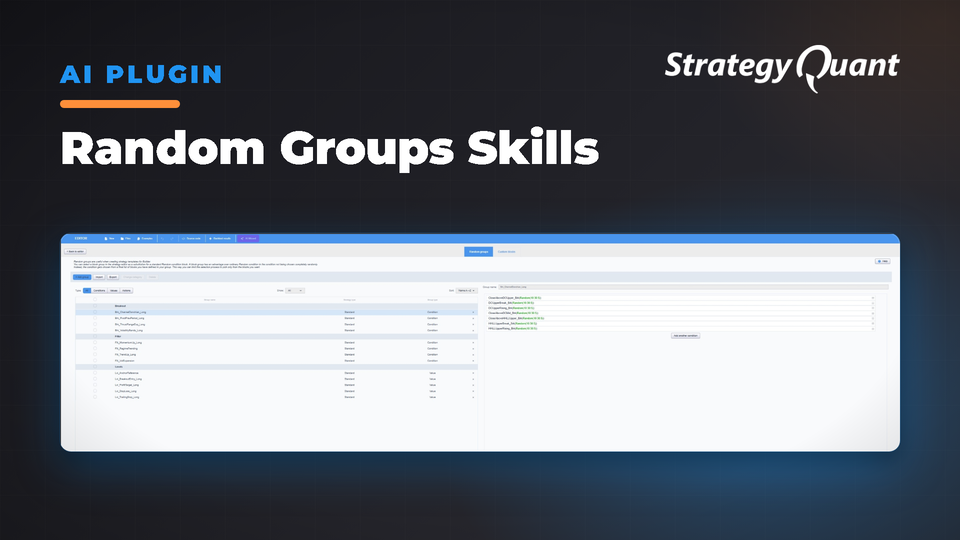
Converts plain-English descriptions into ready-to-import AlgoWizard random groups. Reads your installation, validates items, and handles optimizer settings. No more manual work when building curated signal pools.
The Random Group Builder for StrategyQuant X — Pool Your Blocks into the Menus the Strategy Builder Samples From
TL;DR
The Random Group Builder is a Claude Code skill that turns "pool these" into a ready-to-import AlgoWizard random group. It reads your SQX installation, learns which blocks and atoms you can pool, assembles the group, and validates it before you import.
• 🧠 Plain-English in, working group out — describe the pool in a sentence.
• 🔍 Reads your install — pools only from blocks and atoms your machine truly has.
• 🧱 Two group types — Condition (boolean rules) and Value (prices / numbers).
• ✅ Validated before import — type-checked, key-checked, flat-item-checked.
Who this is for
• Strategy builders wanting curated entry, filter or level pools instead of the global block soup.
• Template builders needing Same condition / Same value pools bound to templates.
• Researchers A/B testing related signals or levels in a single build.
Why it helps
Building random groups in AlgoWizard works, but as pools grow larger and more specific, friction points emerge: knowing what your install can pool, understanding optimizer settings (frozen vs. range vs. explicit min:max:step), enforcing type contracts (Condition = boolean, Value = price/number), respecting the flat-item rule (AND/OR logic belongs in custom blocks), and volume. The Random Group Builder handles all of this — you stay in plain English; it manages discovery, optimizer details, type checks, and produces a clean import file.
Core principles
A group is a menu, not a rule: A random group is a curated set the builder draws ONE item from per strategy to fill a single slot, overriding global Building-Blocks settings. A template binds it to a placeholder (Same condition or Same value).
Install-aware: On first use it reads your installation and builds a catalog of everything you can pool — custom blocks plus native rule and value-atom templates. Everything offered is something your machine can genuinely build.
Two group types — Condition and Value: Condition groups pool boolean rules (triggers, exits, filters). Value groups pool prices and numbers (stops, targets, levels, operands).
Two ways to fill — hybrid and inline: Hybrid re-exports your existing custom blocks by reference. Inline builds fresh items from catalog atoms (a rule, a value, or one comparison like Close > EMA). Mix both within a set.
Optimizer model built in: Every tunable is handled correctly: frozen, optimized over the atom's sensible range, or given explicit min:max:step.
Plain-English first: Nothing is generated until you've approved a plain-English spec.
Validated before import: Every key exists, every item's type matches the group, items are flat, and the XML root is correct.
Tutorial — how to use it
Step 0 · One-time setup (per machine)
On first use, point the skill at your StrategyQuant X top-level folder (e.g. C:\StrategyQuantX144). It reads your config and custom-blocks file, then shows your poolable blocks by name for confirmation.
Step 1 · Describe your pool
"Make me a Condition group that pools my breakout blocks."
"Build a Value group of EMA, KAMA and ATR-band levels."
"Pool RSI<30, Momentum-rising and Close-above-EMA into a filter group."
You can hand it a paper, blog post, or URL to extract rules. Sensible defaults apply (5–8 items, knobs optimized over their own ranges).
Step 2 · Review and approve the spec
The skill replies with a plain-English spec for you to check: group name, type, mode, items, optimized knobs, and which template slot it fills. You approve or request changes.
Step 3 · It generates and validates
Once approved, the skill builds the group, references your blocks (hybrid) or assembles fresh items (inline), sets optimizer states, assigns a UUID, and validates. It won't return the result until all checks pass.
Step 4 · Import into AlgoWizard
You receive a single file plus a summary table. Import via AlgoWizard → Building-block / random groups → Import. Your groups appear ready to bind and the builder starts sampling.
Step 5 · If anything needs a tweak
Tell the skill — it fixes the specific group or item rather than rebuilding everything. A hybrid item that won't resolve usually means its block isn't imported yet — import the block first.
Bonus: Research mode
Don't have a specific pool in mind? Hand the skill a theme like "a pool of trend filters" or a research paper, and it proposes catalog-grounded, buildable items. Every suggestion is checked against your catalog.
Part of a bigger toolkit
The Random Group Builder is the middle of a three-skill pipeline: build the rules → pool them → wire them into a strategy using Custom Block Builder, Random Group Builder, and Strategy Template Builder.
Requirements
• StrategyQuant X / AlgoWizard
• Python 3.8+ — standard library only, no pip installs
• Claude Code with the skill installed
At a glance
Input: A pool described in plain English (or a paper / URL)
Output: A validated, import-ready AlgoWizard random group (Condition or Value)
Builds from: Your install's real blocks (hybrid) and native atoms (inline)
Safety: Validated before import — keys, types and flat items all checked
Best for: Giving the strategy builder curated, optimizer-correct menus to sample from
FAQ
What is a random group, and how is it different from a block?
A block is a rule; a group is a menu the builder draws one item from per strategy to fill a single slot. Build blocks with the Custom Block Builder, then pool them with this skill.
Will this work on my version of SQX?
Yes — it reads your install and only pools blocks and atoms you actually have.
Condition group or Value group — which do I need?
Condition for boolean rule pools (triggers, filters, exits); Value for price/number pools (stops, targets, levels, operands).
Hybrid or inline?
Hybrid re-exports your existing custom blocks by reference. Inline builds fresh items from native atoms. Mix both in a set.
Can I put AND/OR logic inside a group item?
No — items are flat (one rule / one comparison). Compound logic belongs in custom blocks.
Do I still build groups in AlgoWizard?
You build them with the skill and import the result, where they behave like a UI-assembled group — ready to bind to a template slot and optimize.
Which knobs get optimized?
By default period/double knobs are optimized over sensible ranges; you can freeze any or set explicit min:max:step.
You know me as clonex. I'm Ivan Hudec — I built the free blocks here and write at algotrading.space. Work with me.