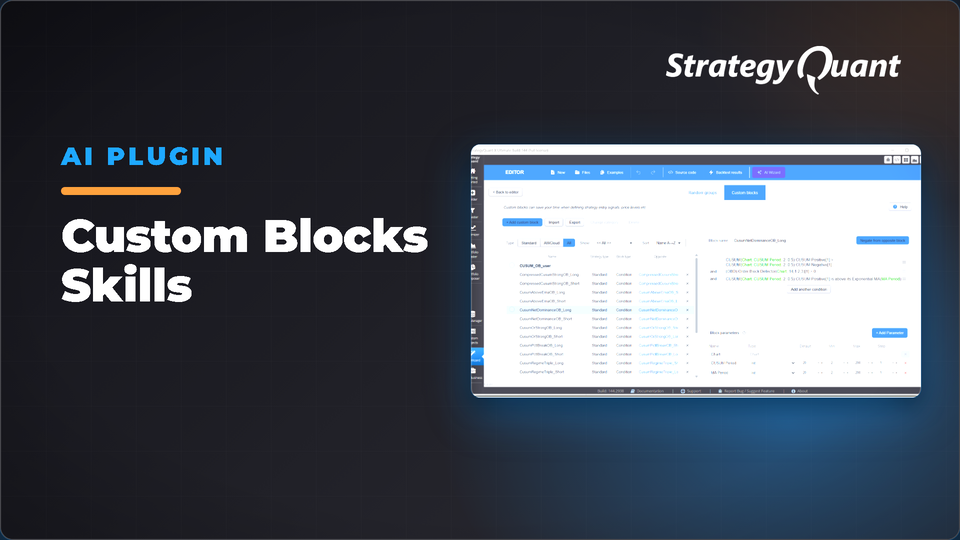
Build AlgoWizard blocks from plain-English trading ideas without clicking the block editor. The builder reads your SQX installation, validates every indicator you own, and produces import-ready blocks that always bind.
The Custom Block Builder for StrategyQuant X — Describe a Trading Rule in Plain English, Get an Import-Ready AlgoWizard Block
Tell it your idea in one sentence — "go long when RSI reclaims oversold" or "a trailing stop two ATRs under the Hull moving average" — and it builds a finished, validated custom block from the indicators your own StrategyQuant X install has. Import it into AlgoWizard and it's ready to use.
TL;DR
The Custom Block Builder is a Claude Code skill that turns plain-English trading ideas into ready-to-import AlgoWizard blocks. It reads your SQX installation, learns which indicators you have, assembles the block, and validates it before import.
• 🧠 Plain-English in, working block out
• 🔍 Reads your install — builds only from indicators your machine has
• 🧱 Two block types — signals and price levels (stops, targets, bands)
• ✅ Validated before import
• 🛡️ Edge-checked — flags look-ahead, repainting, dead thresholds
• 🔁 Long & short auto-paired
• 🎛️ Optimizer-ready
Who this is for
• Strategy builders who want custom signals quickly
• Discretionary traders crossing into algo with rules in mind
• Researchers testing academic or blog ideas in SQX
• Anyone who has hit import and watched a block fail to bind
Core principles
1. Install-aware
Reads your SQX installation and builds a catalog of atoms you can use — nothing phantom.
2. Finds your custom indicators — four ways
Resolves registered, proven, coded-but-unregistered, and synthesized sources. Customs appear by name in a dedicated section.
3. Two block types
Condition blocks (yes/no for entry, exit, filter). Price-level blocks (stops, targets, bands) from anchor, anchor ± k·ATR, or confluence.
4. Plain-English first, build second
Nothing generated until you approve: name, description, operator shape, indicators, parameters with defaults and ranges.
5. Validated before import
Checks multi-output lines, parameters, naming, and blocks risky atoms.
6. Edge-checked
Flags look-ahead, repainting, and thresholds outside indicator ranges — fixes them before hand-off.
7. One block = one idea
Builds clean, single-signal blocks rather than stacking confirmations.
Tutorial — how to use it
Step 0 · One-time setup (per machine)
Point the skill at your StrategyQuant X folder (e.g.
C:\StrategyQuantX144
). It catalogs your indicators.
Step 1 · Describe your rule
"Go long when RSI comes back up through oversold, and short on the mirror." Or ask for a price level. You can hand it a paper, blog post, or URL.
Step 2 · Review and approve the spec
The skill shows you the plain-English spec — name, rule, shape, indicators, tunable parameters with defaults and ranges. Approve or redirect.
Step 3 · It generates, validates and edge-checks
Builds the block, selects correct lines for multi-output indicators, exposes tunables as optimization knobs, auto-pairs long and short. Won't hand over results until all checks pass.
Step 4 · Import into AlgoWizard
Receive a file plus summary table. Import: AlgoWizard → Custom Blocks → Import → select file. Your blocks appear ready to use.
Step 5 · If anything needs a tweak
Tell the skill and it fixes the specific block rather than rebuilding everything.
Bonus: Research mode
Don't have a specific rule? Hand it "find me momentum filters" or a research paper. It proposes catalog-grounded specs, then an adversarial critic kills weak, overfit, repainting or duplicate ideas. You pick survivors and it authors them.
Part of a bigger toolkit
First of a three-skill pipeline: build the rules → pool them → wire into a strategy:
• Custom Block Builder — author individual signals and price levels
• Random Group Builder — pool blocks into random groups
• Strategy Template Builder — wire groups into importable .sqx templates
Requirements
• StrategyQuant X / AlgoWizard
• Python 3.8+ — standard library only, no pip installs
• Claude Code with the skill installed
At a glance
Input: A trading rule in plain English (or paper / URL)
Output: A validated, import-ready block — signal or price level, long + short
Builds from: Your install's real indicators (native + customs)
Safety: Validated for import and edge-checked for look-ahead / repaint
Best for: Turning ideas into testable signals and levels quickly
FAQ
Does it work with Stock Picker engine?
No — supports only standard engines. Stock Picker support will be added later.
Will this work on my version of SQX?
Yes — reads your install and only offers atoms you have.
Can it build stops, targets and price levels, or only signals?
Both — price-level blocks including anchor ± k·ATR buffers and max/min confluence levels.
Do I still build blocks in AlgoWizard?
Build with the skill and import the result — works like any block you create in the editor.
What if it can't find one of my custom indicators?
It resolves four sources so it finds them all. Synthesized ones are flagged "verify on first import."
How does it stop me building a block that looks ahead or repaints?
Every block goes through an edge-hygiene check that flags and fixes look-ahead, repainting, and bad thresholds.
Can it build both long and short at once?
Yes — pairs are generated together and correctly cross-linked.
I don't have a specific rule — just a theme.
Use research mode: hand it a theme or paper and pick from buildable specs after an adversarial critic weeds out weak ones.
You know me as clonex. I'm Ivan Hudec — I built the free blocks here, and I write about the research at algotrading.space. Need something built? Work with me.