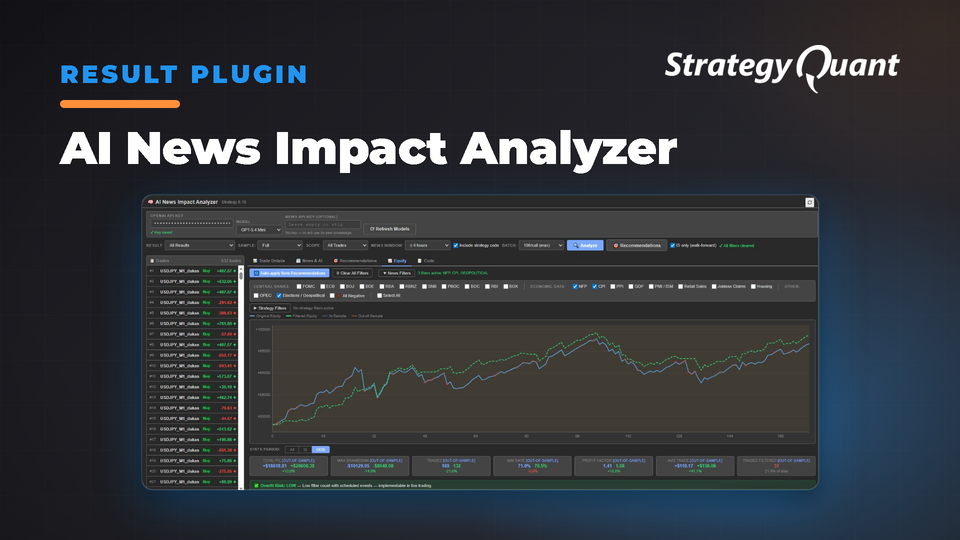
Analyzes economic news impact on trades and filters them to show equity improvements. Measure the exact cost of each news category with walk-forward validation and overfitting detection built in.
What Is It?
The AI News Impact Analyzer is a Results Plugin for StrategyQuant X that uses artificial intelligence to analyze the impact of major economic news events on every trade — then filter those trades to see strategy improvement.
Why You Need This
Most strategies are tested on years of data including dozens of FOMC meetings, hundreds of NFP releases, central bank interventions, and geopolitical shocks. These events create abnormal volatility that distorts strategy performance. This plugin isolates and quantifies damage (or benefit) from each event category so you can make data-driven decisions about news filters for live trading.
"FOMC announcements caused 8 negative trades totaling -180 — not significant enough to filter."
How It Works
Step 1 — Select a Strategy
Click any strategy in StrategyQuant X databank. The plugin loads all trades into the trade list panel.

Step 2 — Configure Analysis Scope
Result: Portfolio/Main/Walkforward | Sample: Full/In-Sample/Out-of-Sample | Scope: All Trades/Winners/Losers | News Window: ±2h, ±4h, ±8h, ±24h, ±48h | Include Strategy Code | Batch Size: 1–100 trades per API call
Step 3 — Analyze
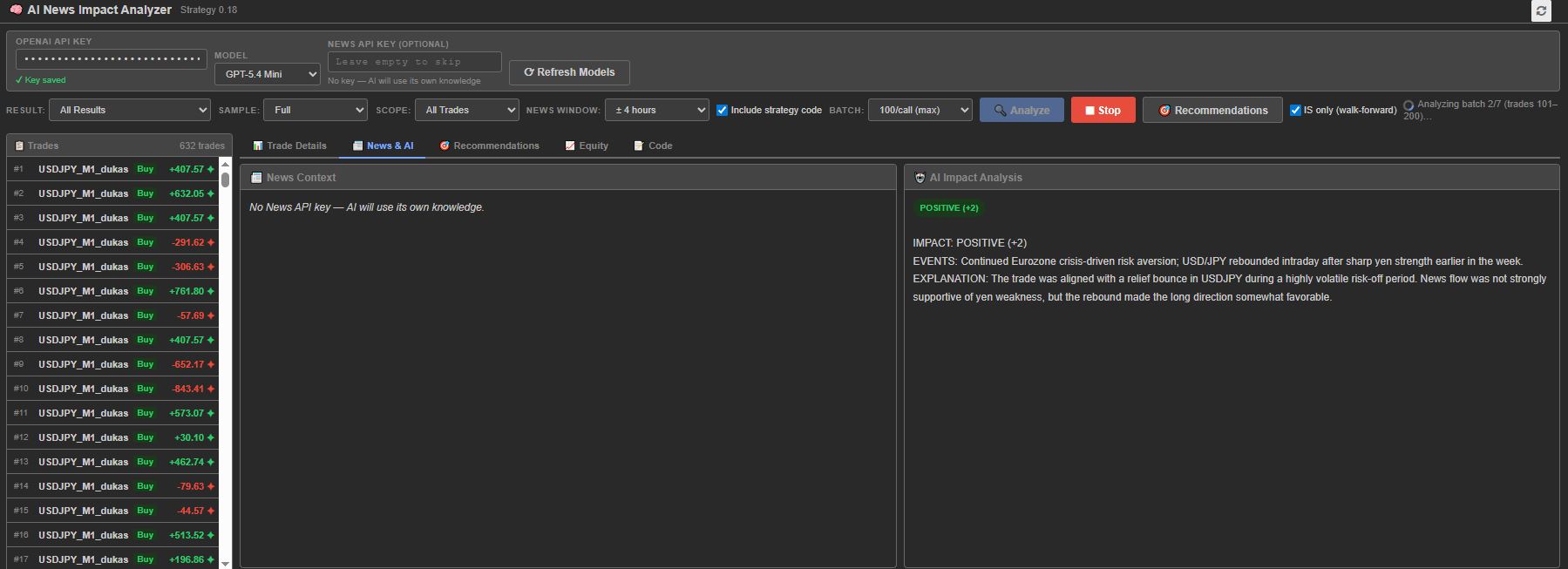
Click Analyze. AI processes every trade: open date, time, symbol, direction, P/L, then cross-references scheduled events (FOMC, ECB, BOJ, NFP, CPI, GDP). Classifies impact as POSITIVE, NEGATIVE, or NEUTRAL and tags news categories. Stop anytime for partial results.
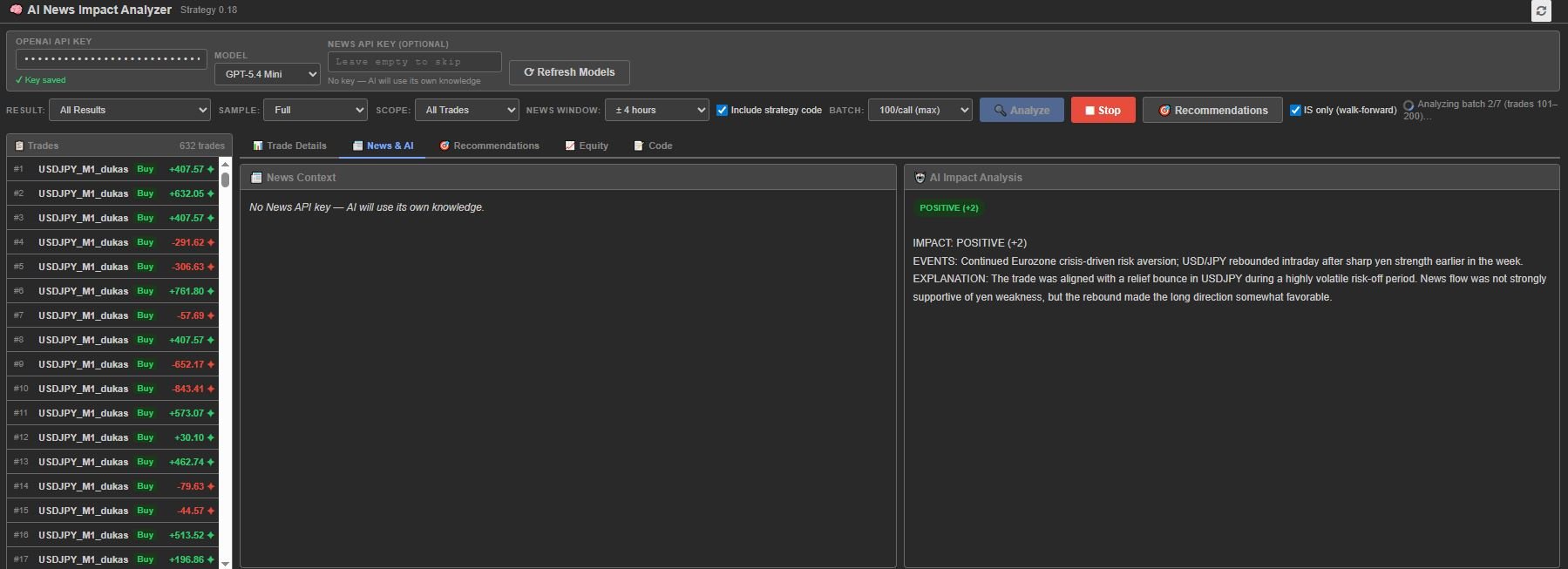
Step 4 — Review Trade-by-Trade Analysis
Switch to News & AI tab to see each trade's news events, impact assessment, AI reasoning, and IS/OOS labels.
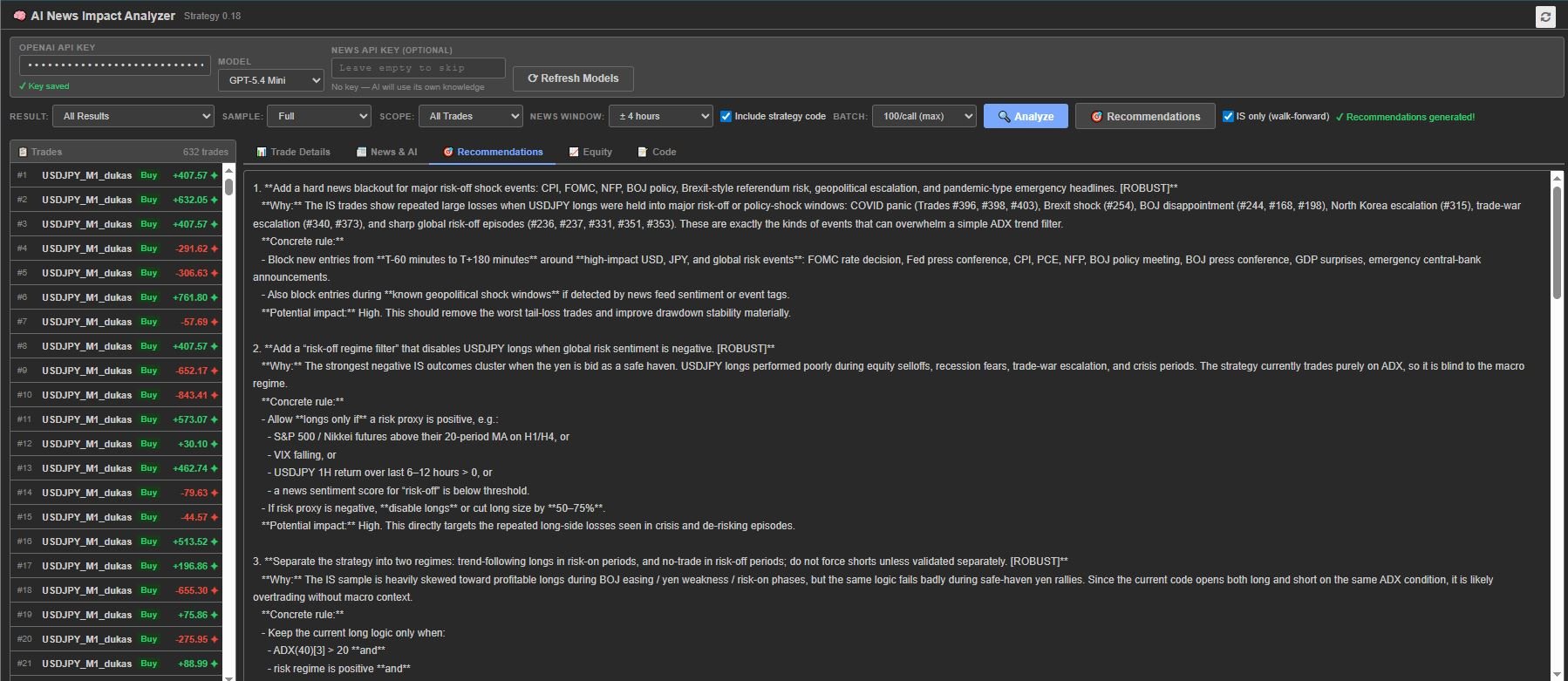
Step 5 — Get Recommendations
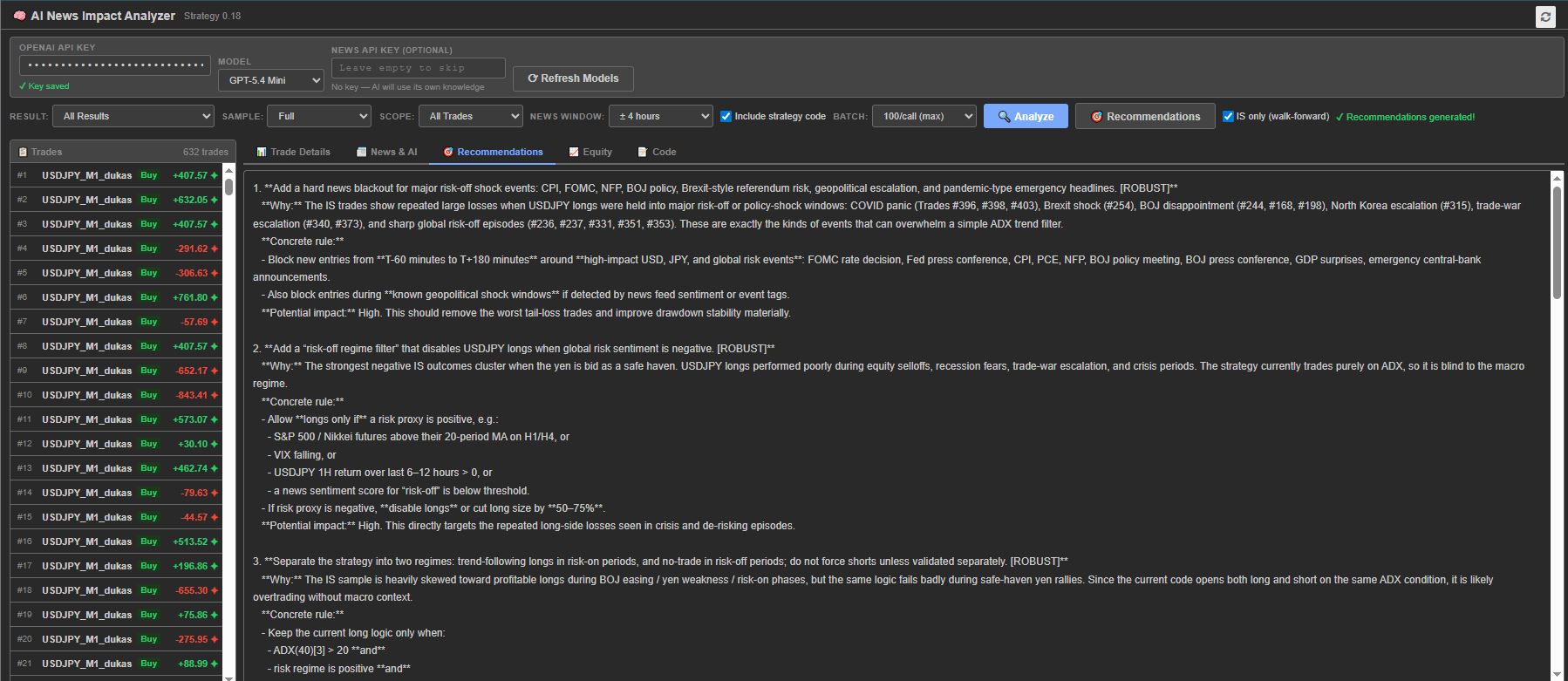
Click Recommendations for AI-generated filter suggestions: harmful event categories, specific filters, time/day-of-week patterns, technical indicators. Walk-Forward Mode (IS Only ✅): Recommendations based on In-Sample trades only for blind forward testing.
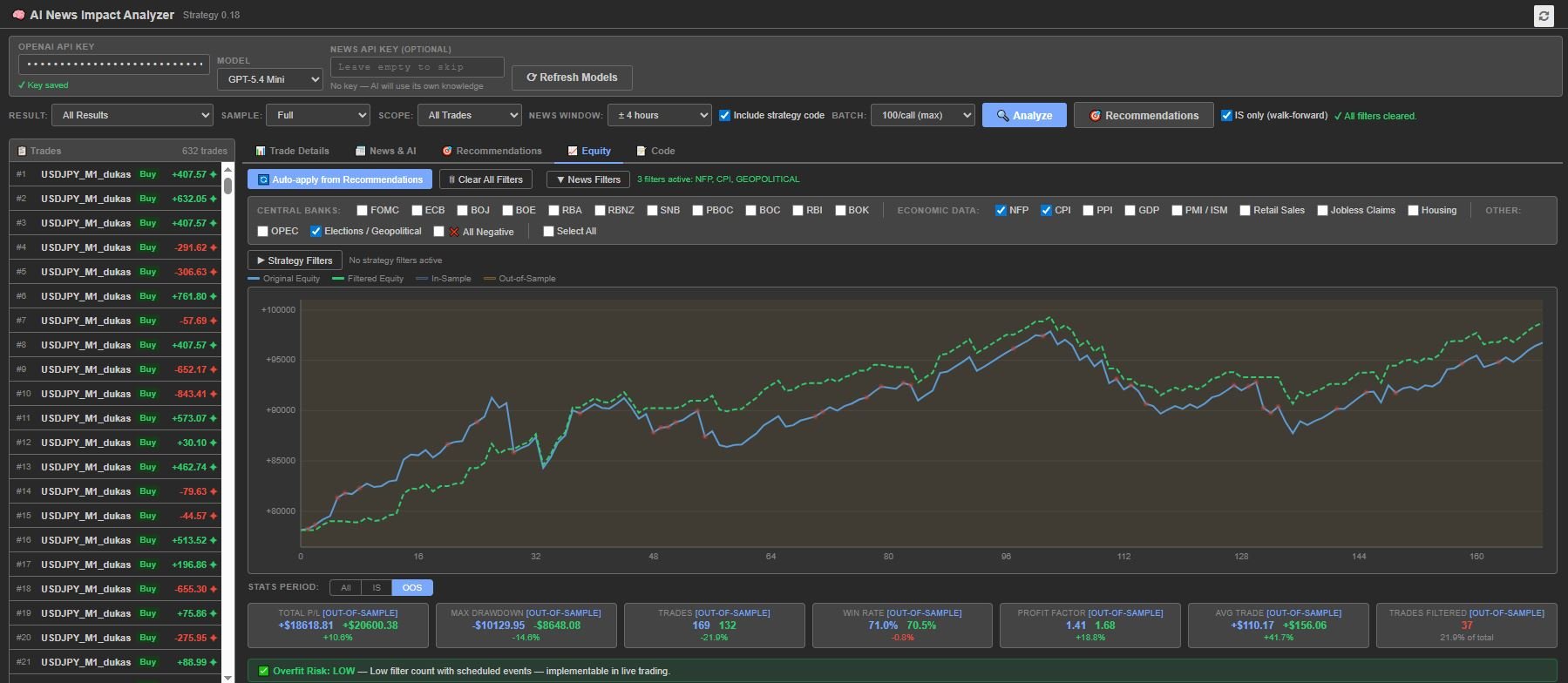
Step 6 — Apply Filters & Analyze Equity Chart
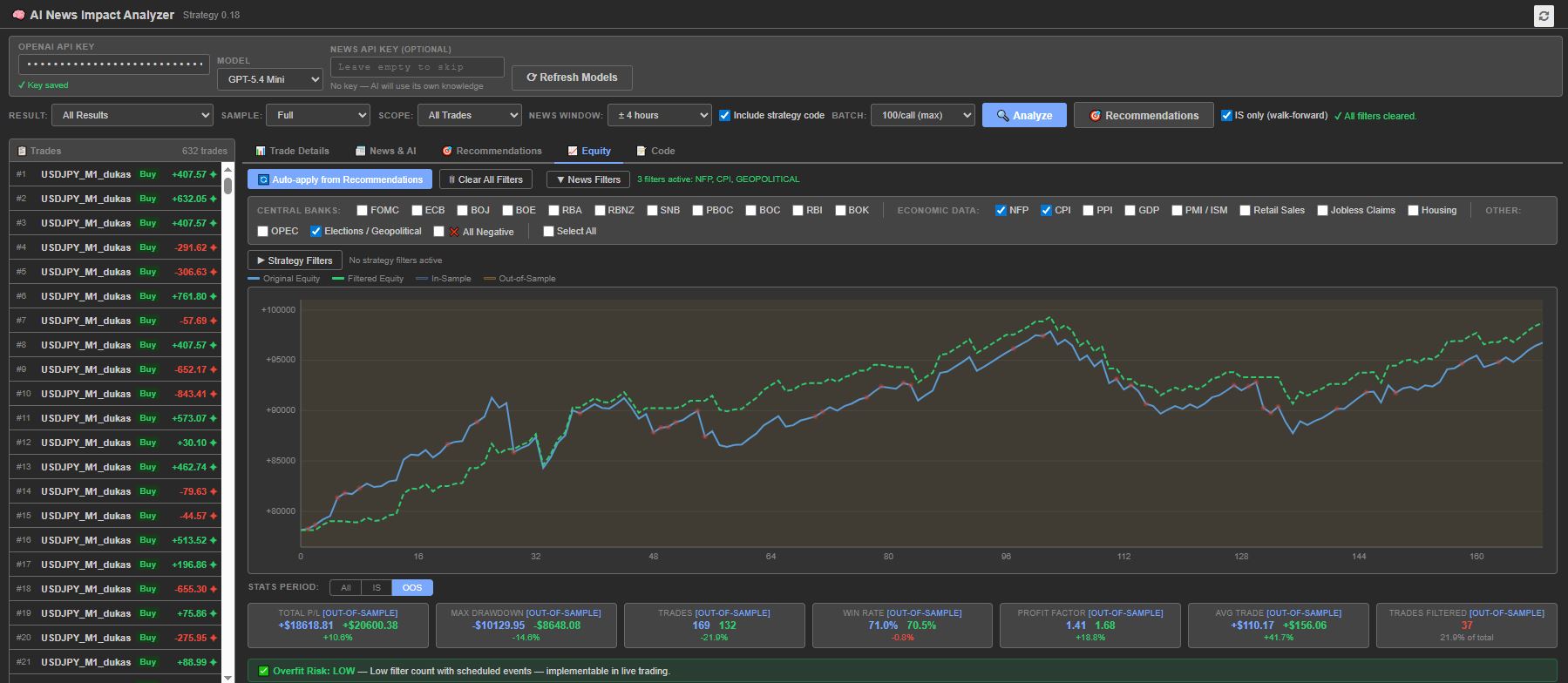
News Filters: Central Banks (FOMC, ECB, BOJ, BOE, RBA, RBNZ, SNB), Economic Data (NFP, CPI, PPI, GDP, PMI/ISM, Retail Sales, Jobless Claims, Housing), Other (OPEC, Elections/Geopolitical), Special (All Negative, Select All).
Strategy Filters: Direction (Skip Long/Short), Day of Week, Hour Range, Sessions (Asian/London/New York).
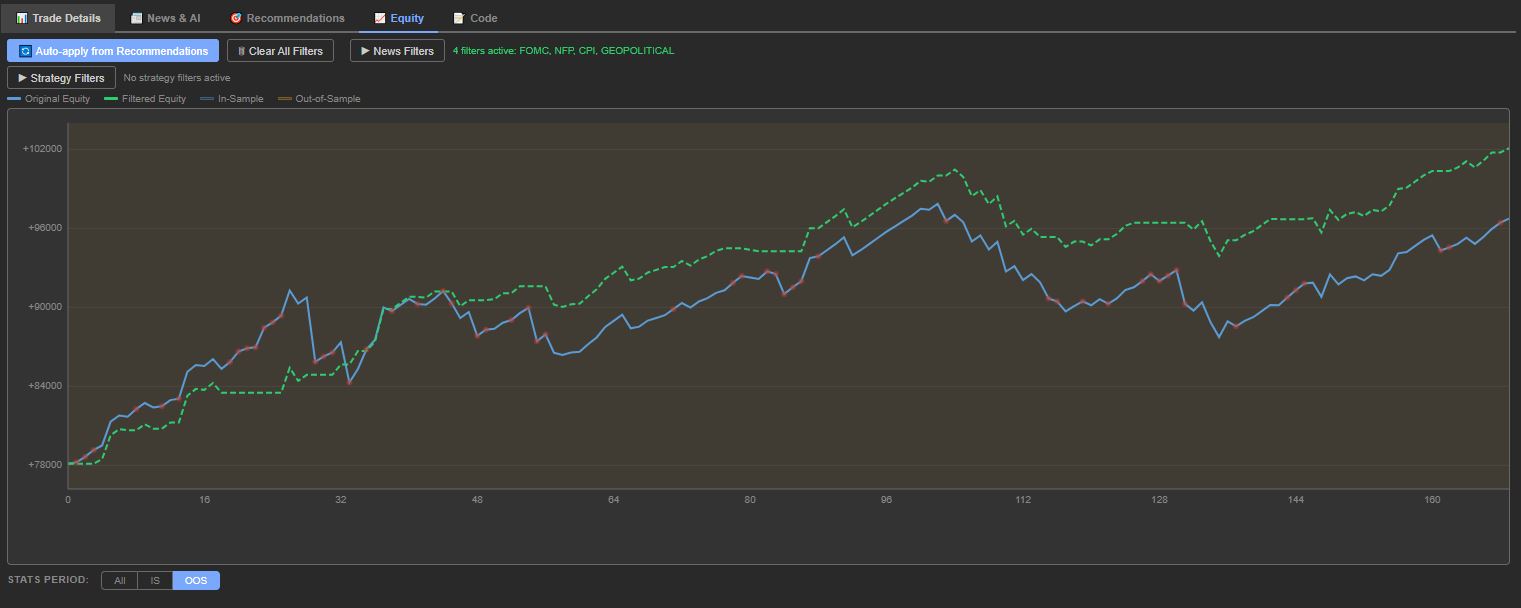
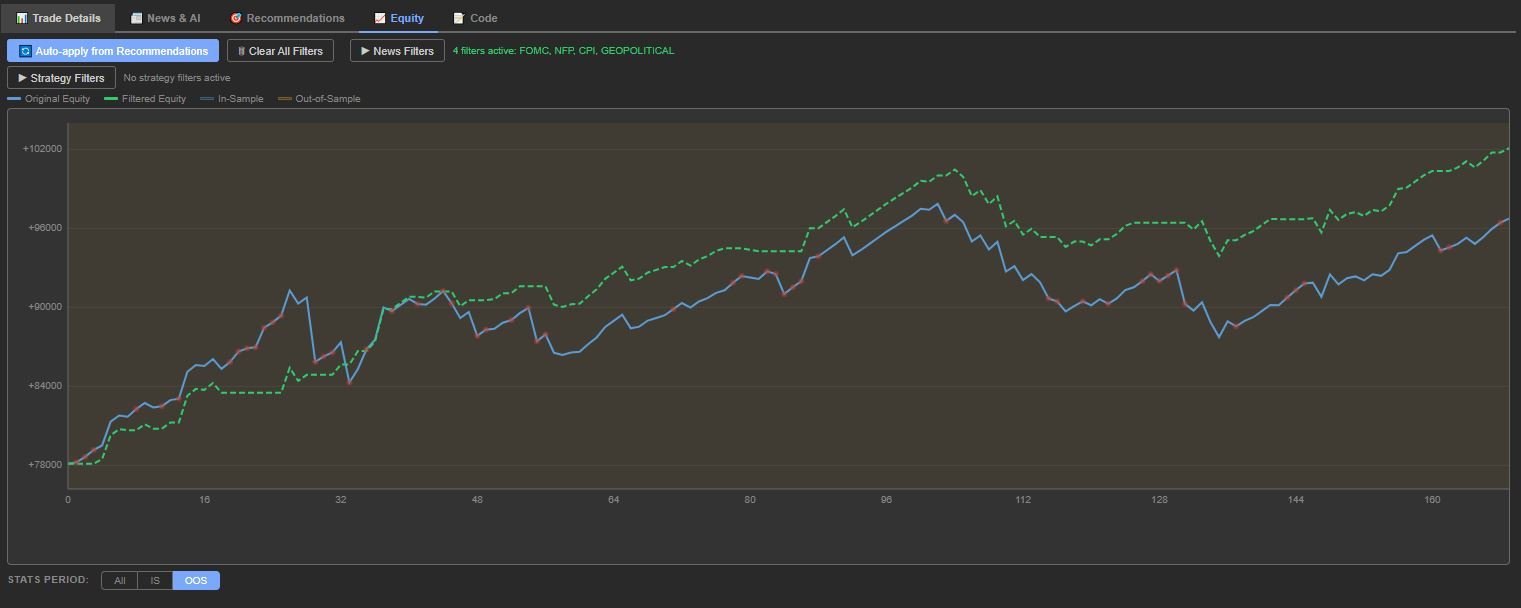
Chart shows: 🔵 Original Equity (blue), 🟢 Filtered Equity (dashed), 🔴 red dots mark filtered trades. Statistics update: Total P/L, Max Drawdown, Trade count, Win Rate, Profit Factor, Avg Trade, Trades Filtered.
Step 7 — Validate with IS/OOS Period Selector
Stats Period: All (full curve), IS (In-Sample, blue background), OOS (Out-of-Sample, orange background).
Walk-forward validation loop:
1. Generate recommendations from IS data only ✅
2. Auto-apply the recommended filters
3. Check IS stats → filters should improve IS performance
4. Switch to OOS → if filters also improve OOS, you have a genuine edge
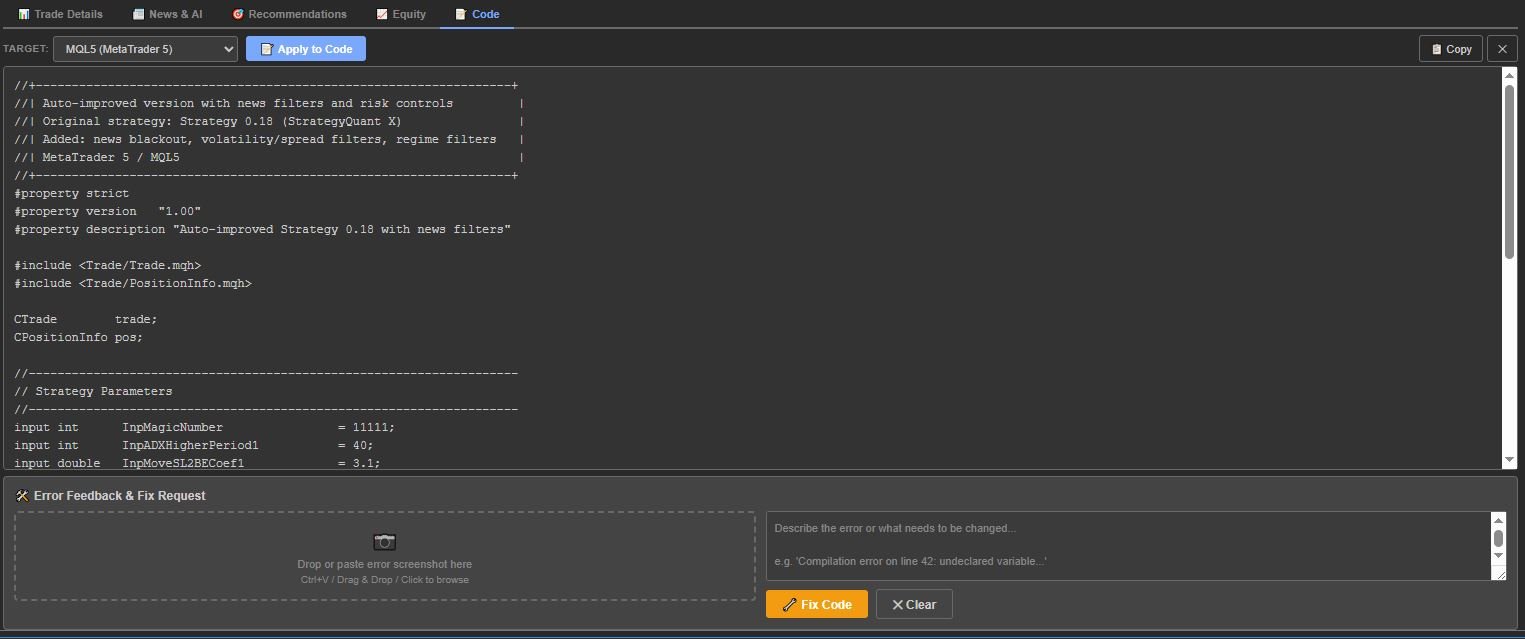
Step 8 — Generate Filtered Code
Switch to Code tab to translate strategy to target platform with recommended filters baked in.
Key Features
• AI News Analysis: Cross-references trades with economic events
• 14 News Categories: Central banks (7), economic data (7), OPEC, geopolitical
• Real-Time Equity Chart: Interactive original vs. filtered curves
• IS/OOS Awareness: Blue (IS) and orange (OOS) bands, blind OOS analysis
• Period Selector: View chart/stats for All, IS, or OOS independently
• Walk-Forward Validation: IS-only recommendations for blind forward testing
• Overfit Risk Score: Low/Medium/High auto warnings
• Auto-Apply: One-click to parse recommendations and check filters
• Batch Processing: 1–100 trades per API call
• Model Selection: GPT-4o, GPT-4.1, GPT-5.4, o3-mini, o4-mini and more
• News API Integration: Optional NewsAPI key (AI uses built-in knowledge if none)
• Zero Dependencies: Two files (index.html + app.js)
Installation
1. Download the plugin folder (AI News Impact Analyzer)
2. Import using the Code Editor
3. Compile
4. Restart StrategyQuant X or reload the Results tab
5. Plugin appears as AI News Impact Analyzer tab in Results panel
6. Enter your OpenAI API key on first use — it will be remembered
Note: Requires StrategyQuant X Pro or Ultimate license. Starter license does not support custom Results Plugins.
FAQ
Q: Do I need an OpenAI account?
A: Yes. Create API key (starts with sk-proj-…) at platform.openai.com. Usage is pay-per-use — analyzing 300 trades typically costs $0.05–0.50.
Q: Which model should I use?
A: GPT-5.4 Mini offers best balance of speed, quality, cost. For cheaper analysis use GPT-4.1 Mini or GPT-4o Mini. For maximum accuracy use GPT-5.4 or GPT-4.1.
Q: What batch size should I use?
A: 50–100/call is fastest and cheapest. Use 10/call for detailed per-trade analysis. Use 1/call only for thorough individual analysis.
Q: Do I need a NewsAPI key?
A: No. Optional. Without it, AI uses built-in knowledge of major events. NewsAPI adds real-time headlines for context.
Q: How does IS-only mode prevent overfitting?
A: Recommendations use only In-Sample trades without seeing OOS data. Apply filters and check OOS separately — if OOS improves, filters capture real edge not noise.
Q: What does Blind OOS Analysis mean?
A: AI does not see P/L or close price for OOS trades — only open time, symbol, direction, open price. Prevents hindsight bias.
Q: Is the "All Negative" filter useful?
A: Use cautiously. Removes trades AI flagged as negative — but uses hindsight and is flagged HIGH overfit risk. Useful for theoretical best case but cannot replicate in live trading.
Q: Can I use with walk-forward optimization?
A: Yes. SQX marks trades with IS/OOS types. Plugin uses these throughout: background bands, period selector, IS-only recommendations, blind OOS analysis.
Q: Is my API key secure?
A: Yes. Stored in browser's localStorage, sent only to OpenAI API (api.openai.com). Never sent to StrategyQuant or third parties.
Watch the video: https://strategyquant.com/wp-content/uploads/2026/05/AI-News-Impact-Analyzer.mp4